Boosting your Mac with Login Items
Watch tutorial on Login Items
The Login Items feature enables you to define which applications will open upon your Mac's login and which will not. If you want some specific application to launch along with Mac OS, click the Add button, select the application and click Open. To remove the applications you do not want to launch along with Mac OS, click the Remove button. Use the Quick Look button to preview the applications.
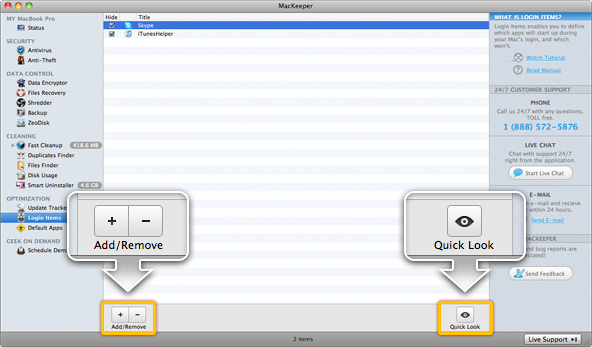 Login Items Page